While you're here — grab our free Shoot Day Checklist Download →

SeshBot® by SaltySesh

Quiet automation for studios who still care about the human part.

SeshBot® is an AI-powered SMS assistant built for photography studios. It handles reminders, outfit tips, and shoot prep so your clients feel taken care of long before they step in front of the camera. Every SaltySesh® session includes it by default — and other studios can subscribe to run it in their own business.

Automatic reminders & check-ins Prep tips & outfit guidance Runs over SMS — no apps or logins
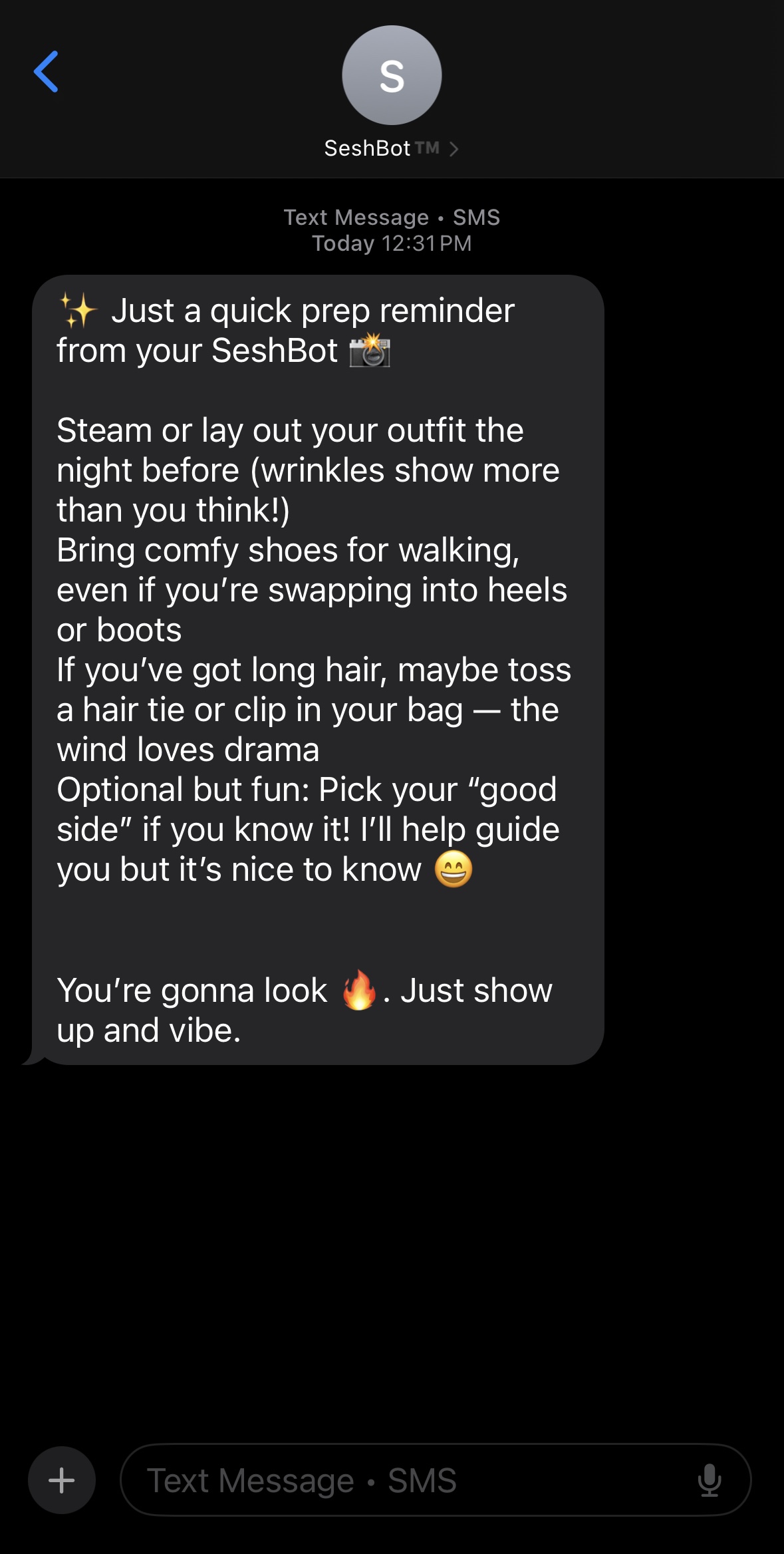
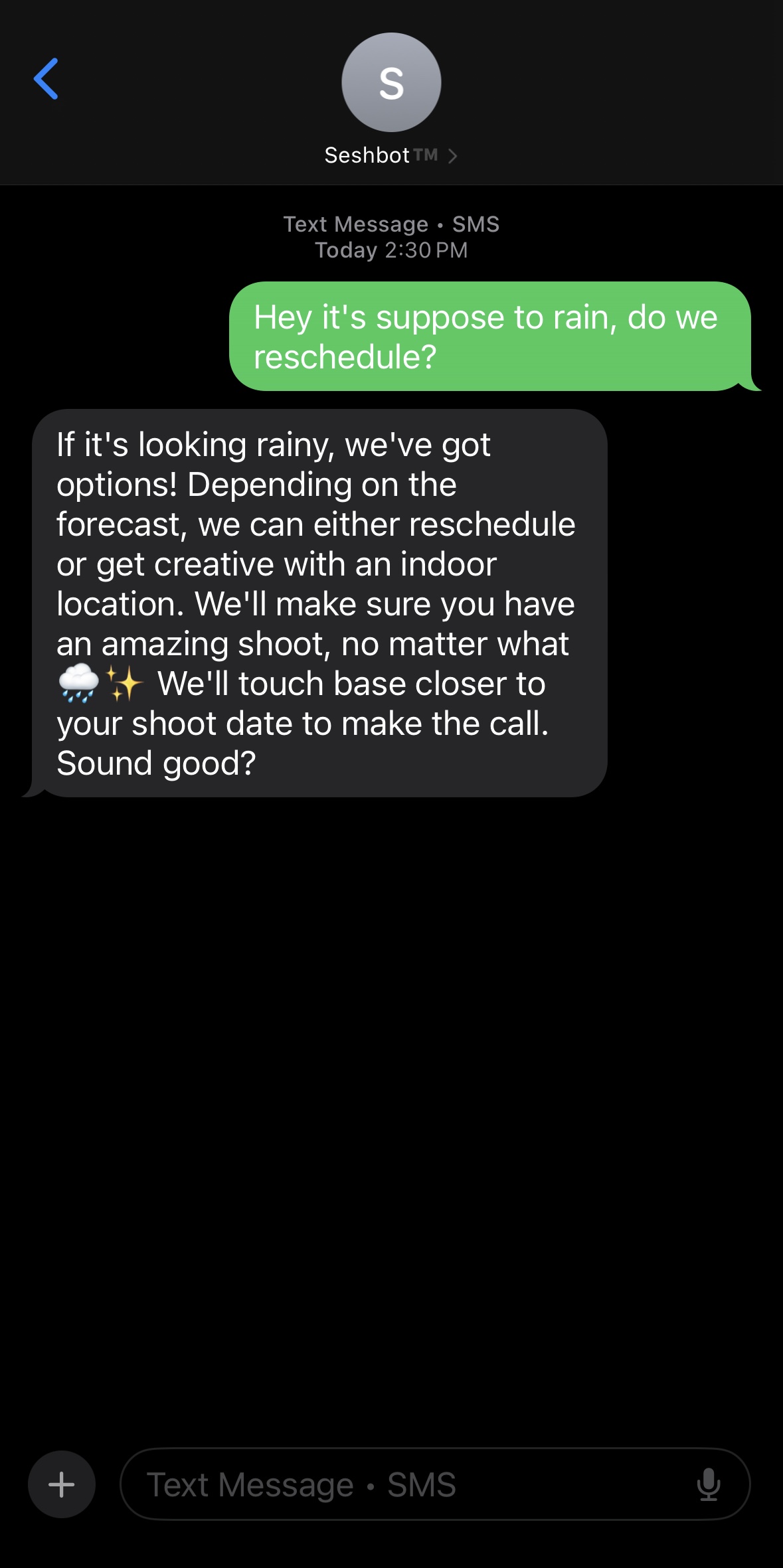
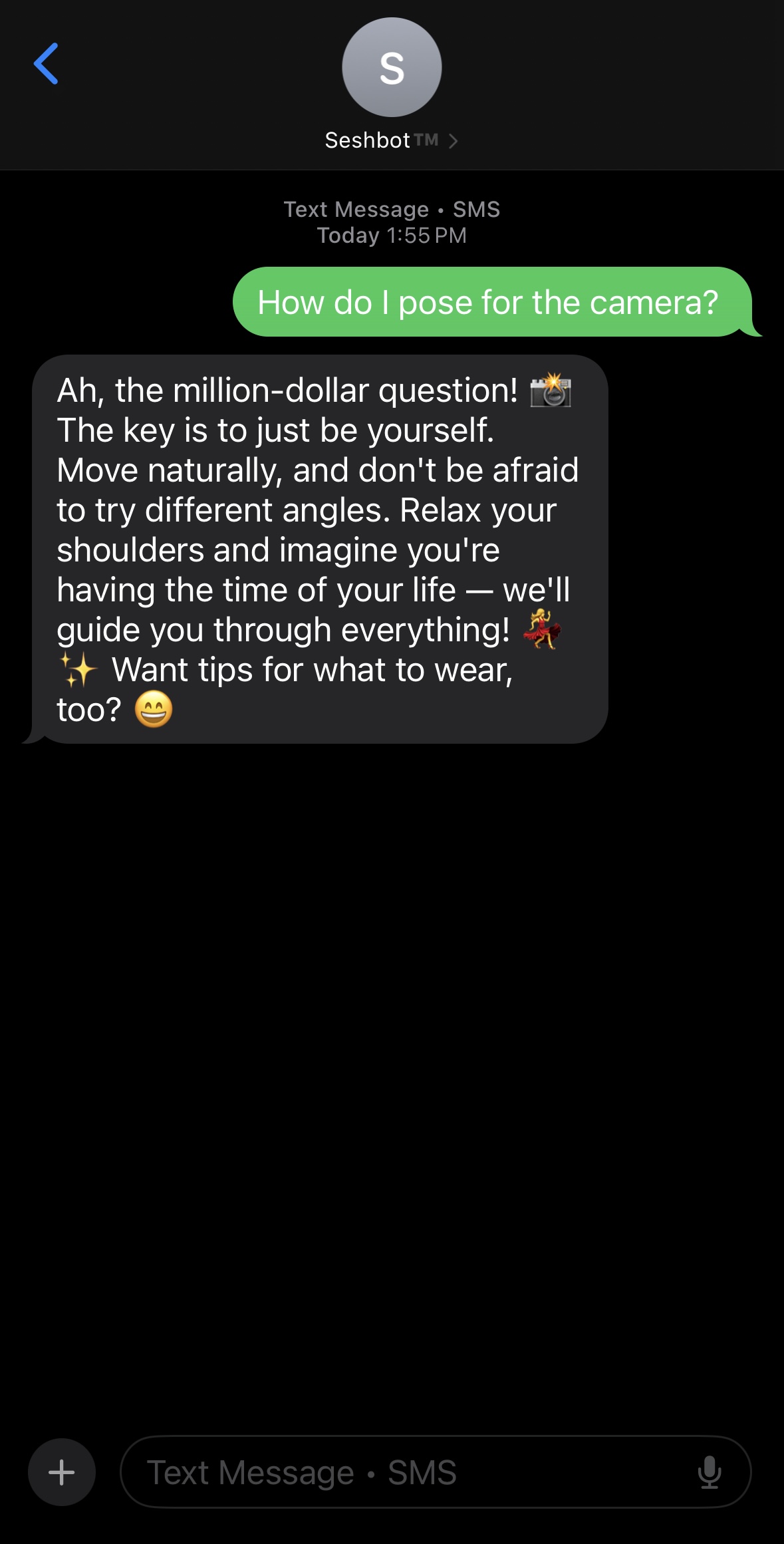
SeshBot sending posing tips via text SeshBot sending a pre-session reminder SeshBot handling a rain reschedule

For SaltySesh clients

What SeshBot handles for you.

If you're a SaltySesh® photography client, SeshBot is already included with your booking. It sends simple, human messages so you know exactly what to expect — no apps to install, no portals, no extra steps.

Before your session

As soon as your date is set, SeshBot starts sending the basics so you know exactly what to expect.

  • Session confirmation with time & location details
  • Simple prep overview so nothing sneaks up on you
  • Reminders as your session gets closer

Prep, outfits, and logistics

No more last-minute "what do we wear?" or "where do we park?" messages at 11pm.

  • Outfit guidance tailored to the type of session
  • Location notes, parking tips, and timing suggestions
  • Gentle nudges so everyone's on the same page

Day-of & after

On the day of your session, SeshBot keeps things calm — and follows up so you know when to expect your gallery.

  • Day-of reminder with meeting spot and time
  • Quick check-in if the weather or plans need to shift
  • Follow-up with delivery timing and next steps

On your end

What it feels like as a client.

You'll mostly see simple, human messages: what to wear, where to meet, what time to arrive, and a few gentle reminders so nothing falls through the cracks. No apps to install, no logins, no portals.

  • Helpful texts that sound like a real person
  • Clear instructions without a wall of information
  • Space to ask questions when you need to

Behind the scenes

What it's doing for the studio.

In the background, SeshBot tracks dates, session details, and prep steps so your experience feels calm instead of chaotic. It keeps things organized so the photographer can stay focused on the part they love — photographing you.

  • Automated reminders tied to your session date
  • Prep checklists and questionnaires organized in one place
  • Room for customization based on your specific session
SeshBot for your studio

One system to handle confirmations, prep, and client check-ins.

SeshBot® started as an internal tool for SaltySesh, then grew into a product other photographers kept asking about. Instead of patching together five tools, SeshBot focuses on the client-facing parts of your workflow — from the first confirmation message to the final "your gallery is ready" text.

Automated reminders

Time, date, location, and what to bring — handled without you copy/pasting the same message for the hundredth time.

  • Booking confirmations with date, time, and basics
  • Pre-session reminders with parking & timing notes
  • Optional reschedule messaging when plans change

Outfit tips & prep flows

Reduce "what do I wear?" and "what should we bring?" DMs with simple, well-timed prep that calms clients instead of overwhelming them.

  • Session-specific outfit guidance and prep tips
  • Links to your own guides, forms, or checklists
  • Clear expectations so clients show up ready

Day-of & follow-up

On shoot day, SeshBot keeps everyone aligned — and follows up when it's time to deliver galleries and next steps.

  • Day-of timing reminders & meeting spot details
  • Optional "running a few minutes behind" check-in
  • Post-session follow-up and gallery delivery notes

Try it live

Don't take our word for it. Text it yourself.

This is the same AI that handles real client conversations. Ask about pricing, what to wear, session prep — anything you'd expect a client to text.

Simulated session. In production, SeshBot is fine-tuned to your studio — your pricing, your voice, your locations.

Open full demo →
9:41
SB
SeshBot
Your Studio Name
💬

Try SeshBot

Ask about pricing, what to wear, session prep — anything a client would text their photographer.

Pricing

Less than the cost of one missed booking.

Early-access founder pricing — lock in these rates before they increase. You're not charged until your dedicated number is live and ready to send.

SeshBot® is in early access. Pricing is subject to change as new features are added.

Starter

Try AI-powered texting

$19/mo

  • Up to 15 clients
  • 125 messages / month
  • AI-powered SMS replies
  • Automated welcome messages
  • Basic dashboard
  • Email support

Essential

Built for working photographers

$39/mo

  • Up to 50 clients
  • 400 messages / month
  • Custom AI personality & tone
  • Your brand name in every message
  • Proactive follow-up engine
  • Draft approval workflow
  • Bulk messaging
  • Advanced analytics & trends
  • Custom operating hours
  • Client notes & tags
  • 10 message templates
  • Priority email support

Pro

For high-volume studios

$79/mo

  • Up to 150 clients
  • 1,000 messages / month
  • Everything in Essential, plus:
  • CSV data export
  • 24/7 operating hours
  • 50 message templates
  • Priority support + onboarding call

Running a larger studio or need something custom? Let's talk.

How it fits

Sits beside your CRM, not on top of your entire life.

SeshBot cares about communication — reminders, prep, and client check-ins — not replacing your booking, gallery, or accounting systems. It's designed to plug into the studio you already run.

  1. 1. Sign up and pick your plan

    Choose the tier that matches your volume. Your dedicated phone number is provisioned during a short carrier registration period (typically 2–4 weeks).

  2. 2. Customize tone, timing, and session types

    Dial in your studio's voice, session categories, and timing rules so messages sound like you and fire when they're most helpful.

  3. 3. Launch with a small test batch

    Start with a handful of upcoming sessions, gather feedback, refine, and then roll SeshBot out across your full calendar once it feels dialed.

Questions, answered

Quick details for curious studios.

Do I need to switch CRMs or gallery tools?

No. SeshBot is designed to sit beside the tools you already use. It cares about clean communication, not replacing your entire backend.

When do I start getting charged?

You're not charged until your dedicated number is live and ready to send. Carrier registration typically takes 2–4 weeks, and your 30-day trial doesn't start until you're fully provisioned.

Is this just another chatbot?

No. SeshBot focuses on structured, intentional flows — confirmations, prep, reminders — instead of random small talk. It's more like a calm studio assistant than a generic chat widget.

Can I limit it to certain sessions?

Yes. Many studios keep SeshBot on for standard and recurring sessions, and handle high-touch or complex projects manually.

Want SeshBot® supporting your next session?

Every SaltySesh booking includes SeshBot by default — there's nothing extra you have to set up. Tell us what you're dreaming up, and we'll handle the prep and automation in the background.

Texting with SeshBot®

Don't want to chat with SeshBot? No big deal.

SeshBot sends text messages related to your booking only — things like confirmations, reminders, and prep tips. Message frequency varies by session.

  • Reply STOP to opt out of SeshBot texts at any time.
  • Reply HELP for help or questions.
  • Standard message & data rates may apply.
  • Consent to receive messages is not a condition of booking.

For more details, see our Privacy Policy and Terms of Service. Mobile carriers are not liable for delayed or undelivered messages.